ESP32-C3 Adblock Cost Savings: Block Ads on Your Network
Discover the ESP32-C3 adblock cost savings by building your own network-wide ad blocker. Learn how to save money and enhance privacy.
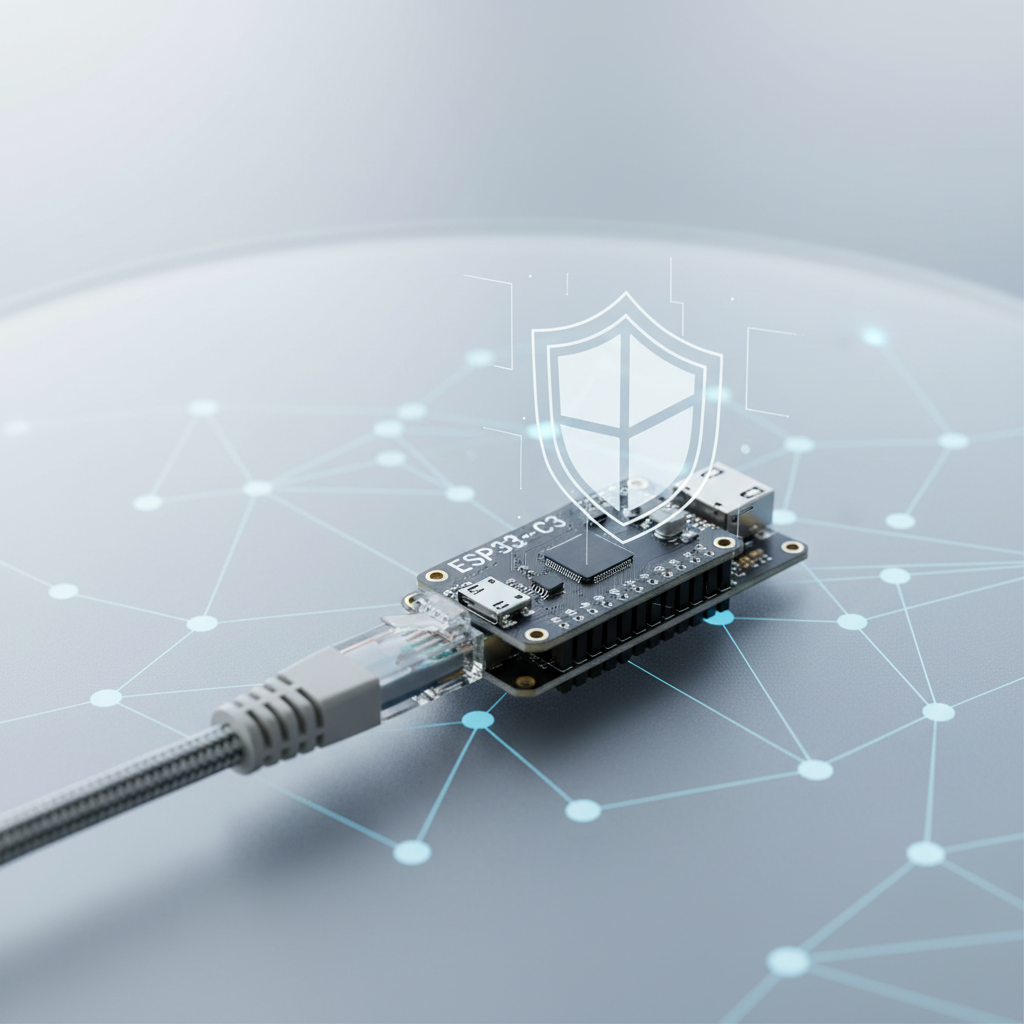
ESP32-C3 Adblock Cost Savings: How to Block Ads on Your Home Network
Are you tired of intrusive ads, slow loading times, and privacy concerns while browsing the internet? Many turn to browser extensions, but a network-wide ad blocker offers a more comprehensive solution. While options like Pi-hole on a Raspberry Pi are popular, they can be overkill for some, both in terms of cost and power consumption. This post will delve into the significant ESP32-C3 adblock cost savings you can achieve by building a highly efficient, low-power ad-blocking solution for your entire home network using this remarkable microcontroller.
Imagine a world where every device connected to your Wi-Fi – your phone, smart TV, computer, even IoT gadgets – automatically blocks ads and trackers without individual software installations. The ESP32-C3, with its Wi-Fi capabilities, low cost, and minimal power draw, presents an excellent foundation for such a system, offering a compelling alternative to more expensive dedicated hardware. Let's explore how this tiny chip can lead to substantial cost savings and a much better internet experience.
Why Network-Wide Ad Blocking?
Before diving into the ESP32-C3, it's crucial to understand the benefits of blocking ads at the network level:
- Ubiquitous Protection: Protects all devices connected to your network, including those that can't run ad-blocking software (smart TVs, gaming consoles, some mobile apps, IoT devices).
- Enhanced Privacy: Blocks trackers and telemetry requests, reducing the data collected about your online activities.
- Improved Performance: Websites load faster as unnecessary ad content and scripts are never downloaded. This saves bandwidth, which can be particularly beneficial for those with metered internet connections or slower speeds.
- Reduced Data Usage: Less data downloaded means lower data bills for mobile hotspots or capped internet plans.
- Security Benefits: Many malicious advertisements (malvertising) and phishing attempts are thwarted by blocking known ad servers.
- Battery Life Savings: Mobile devices connected to your Wi-Fi consume less power downloading and rendering ads.
- Simplicity: Configure it once, and all devices benefit automatically. No need to install and manage extensions on every browser.
While browser extensions are good for individual devices, a network-wide solution like one powered by an ESP32-C3 provides a foundational layer of defense for your entire digital ecosystem.
The ESP32-C3: An Ideal Candidate for Ad Blocking
The ESP32-C3 is a low-cost, low-power Wi-Fi and Bluetooth LE microcontroller from Espressif Systems. Initially designed for IoT applications, its specifications make it surprisingly well-suited for a minimalist DNS-based ad blocker:
- Cost-Effectiveness: Typically priced around $4-$8 for a development board, significantly less than a Raspberry Pi Zero (which can be $10-$15, excluding accessories) or a full-fledged Raspberry Pi 3/4 ($35-$75).
- Low Power Consumption: Operates on very little power, often just a few hundred milliwatts. This translates directly into minimal electricity costs over time, especially for a device running 24/7.
- Integrated Wi-Fi: Its built-in Wi-Fi makes network integration straightforward without needing external adapters.
- Compact Size: Small footprint, easy to tuck away or integrate into a custom enclosure.
- Sufficient Processing Power: For simple DNS request forwarding and filtering, its RISC-V core is more than capable.
- Active Community and Open Source: Extensive support for firmware development, including options like MicroPython, Arduino IDE, and ESP-IDF.
These characteristics collectively contribute to the significant ESP32-C3 adblock cost savings compared to other DIY solutions.
Understanding the "Adblock" Mechanism
A network-wide ad blocker, whether it's a Pi-hole, AdGuard Home, or an ESP32-C3 based solution, typically works by acting as a custom DNS server for your network.
- DNS Query Interception: When a device on your network tries to access a website or fetch an ad, it first asks the designated DNS server (your ESP32-C3 ad blocker) for the IP address of the domain (e.g.,
googleads.g.doubleclick.net). - Blacklist Check: The ESP32-C3 ad blocker consults a regularly updated list of known ad and tracker domains (a "blacklist").
- Blocking: If the requested domain is on the blacklist, the ad blocker responds with a non-routable IP address (like
0.0.0.0or127.0.0.1), effectively telling the device that the ad server doesn't exist or is unreachable. - Permitting: If the domain is not on the blacklist, the request is forwarded to an upstream public DNS server (e.g., Google DNS, Cloudflare DNS), and the legitimate IP address is returned to your device.
This process happens almost instantaneously, preventing ad content from ever being downloaded.
Realizing ESP32-C3 Adblock Cost Savings: A Comparative Look
Let's break down the cost savings in terms of initial hardware investment and ongoing operational costs.
Initial Hardware Cost Comparison
| Component | ESP32-C3 Dev Board | Raspberry Pi Zero W (v1.1) | Raspberry Pi 4 (2GB) |
|---|---|---|---|
| Board Price | $4 - $8 | $10 - $15 | $35 - $55 |
| SD Card | Not required | $5 - $10 (8GB+) | $5 - $10 (8GB+) |
| Power Supply | $2 - $5 (USB C) | $5 - $10 (Micro USB) | $8 - $15 (USB C) |
| Case (Optional) | $3 - $10 | $5 - $15 | $10 - $25 |
| Total Est. Cost | $9 - $23 | $25 - $50 | $58 - $105 |
Note: Prices are estimates and can vary based on retailer, region, and market availability.
As evident from the table, the upfront cost for an ESP32-C3 solution is significantly lower, offering immediate ESP32-C3 adblock cost savings.
Ongoing Operational Costs (Power Consumption)
This is where the ESP32-C3 truly shines in terms of long-term savings. Power consumption translates directly to your electricity bill.
- ESP32-C3: Typically consumes around 0.1-0.3W (idle to active).
- Raspberry Pi Zero W: Consumes around 0.5-1W.
- Raspberry Pi 4 (2GB): Consumes around 2-4W (idle to active, headless).
Let's calculate potential annual electricity costs based on an average electricity rate of $0.15 per kWh (this rate varies significantly by region):
- ESP32-C3 (avg. 0.2W):
- 0.2W * 24h * 365 days = 1752 Wh = 1.752 kWh/year
- 1.752 kWh/year * $0.15/kWh = $0.26 per year
- Raspberry Pi Zero W (avg. 0.75W):
- 0.75W * 24h * 365 days = 6570 Wh = 6.57 kWh/year
- 6.57 kWh/year * $0.15/kWh = $0.99 per year
- Raspberry Pi 4 (avg. 3W):
- 3W * 24h * 365 days = 26280 Wh = 26.28 kWh/year
- 26.28 kWh/year * $0.15/kWh = $3.94 per year
While these figures might seem small, over several years, especially with multiple devices or higher electricity rates, the difference accumulates. The ESP32-C3 adblock cost savings in terms of electricity consumption are undeniably substantial for a 24/7 device.
Building Your ESP32-C3 Ad Blocker: A Conceptual Overview
Implementing an ad blocker on an ESP32-C3 typically involves custom firmware. Projects like AdGuard Home or Pi-hole are too resource-intensive for the ESP32-C3 directly, as they require a Linux operating system and more RAM. Instead, a custom, lightweight solution is required.
The core idea is to program the ESP32-C3 to:
- Connect to your Wi-Fi network.
- Act as a simple DNS server.
- Load a blacklist of ad/tracker domains into its memory (or from a small external flash memory).
- Intercept DNS requests, check against the blacklist, and respond accordingly.
- Forward legitimate requests to an upstream DNS server.
Essential Components:
- ESP32-C3 Development Board: Such as the ESP32-C3-DevKitM-1 or similar.
- USB-C Cable: For power and programming.
- Computer: For writing and flashing firmware (using Arduino IDE or PlatformIO).
- Wi-Fi Network: To connect the ESP32-C3 and for client devices.
Firmware Options (Examples):
While no official "ESP32-C3 Pi-hole" exists, community projects and custom code can achieve similar functionality:
- MicroDNS (Lightweight DNS server): You can adapt existing lightweight DNS server libraries for ESP32.
- Custom C++/Arduino Sketch: Write your own code using the ESP-IDF or Arduino framework. This would involve:
- Setting up Wi-Fi.
- Implementing a DNS server.
- Loading a concise blacklist (e.g., from an online source at boot, or hardcoded for very small lists).
- Managing memory efficiently due to the ESP32-C3's limited RAM.
Example conceptual flow in Arduino:
#include <WiFi.h>
#include <DNSServer.h>
// Include a lightweight DNS client library if needed for upstream queries

const char* ssid = "YOUR_SSID";
const char* password = "YOUR_PASSWORD";

DNSServer dnsServer;
// Define a blacklist (e.g., in a PROGMEM array, or load from SPIFFS)
// For a very minimal setup, you might hardcode a small, impactful list.
// For larger lists, you'd need a more robust storage and lookup mechanism.
String blacklist[] = {
    "googleads.g.doubleclick.net",
    "ad.doubleclick.net",
    "tracking.example.com",
    // ... more domains
};

void setup() {
  Serial.begin(115200);
  Serial.print("Connecting to WiFi...");
  WiFi.begin(ssid, password);
  while (WiFi.status() != WL_CONNECTED) {
    delay(500);
    Serial.print(".");
  }
  Serial.println("\nWiFi connected, IP: ");
  Serial.println(WiFi.localIP());

  // Set the DNS server to the ESP32-C3's IP address
  dnsServer.start(53, "*", WiFi.localIP()); // Listen on all interfaces, return own IP for blocked

  // Configure your router to use the ESP32-C3's IP as its primary DNS server,
  // or manually set it on client devices.
}

void loop() {
  dnsServer.processNextRequest();

  // Handle DNS requests
  if (dnsServer.getRequest()) {
    DNSHeader header = dnsServer.getRequest()->getDNSHeader();
    for (int i = 0; i < header.numQuestions; i++) {
      DNSQuestion question = dnsServer.getRequest()->getQuestion(i);
      String requestedDomain = question.name;

      bool blocked = false;
      for (const String& blockedDomain : blacklist) {
        if (requestedDomain.indexOf(blockedDomain) != -1) { // Simple substring check
          blocked = true;
          break;
        }
      }

      if (blocked) {
        dnsServer.sendResponse(header, IPAddress(0, 0, 0, 0), 0); // Block by sending 0.0.0.0
        Serial.print("Blocked: ");
        Serial.println(requestedDomain);
      } else {
        // Forward to an upstream DNS server (e.g., 8.8.8.8 for Google DNS)
        // This part requires a separate DNS client implementation or library.
        // For simplicity in this conceptual example, we'll just say it forwards.
        // In a real project, you'd query 8.8.8.8 and respond with the real IP.
        Serial.print("Allowed: ");
        Serial.println(requestedDomain);
        dnsServer.sendResponse(header, IPAddress(8,8,8,8), 0); // Placeholder, real impl would query upstream
      }
    }
  }
  delay(1);
}
Important Considerations for ESP32-C3 Implementation:
- Memory Limitations: The biggest challenge is the amount of RAM available (400KB SRAM). This limits the size of your blacklist. You won't be able to load millions of domains like Pi-hole. Focus on highly effective, curated lists (e.g., ~10,000-50,000 domains).
- Flash Memory: You can store larger lists in SPIFFS (on-board flash file system) and load/process them in chunks or use efficient lookup algorithms.
- Performance: A simple string comparison lookup will be slow for large lists. Consider data structures like hash tables or a Trie for faster lookups.
- Updates: You'll need a mechanism to update the blacklist, either by re-flashing the firmware or by fetching new lists from the internet at regular intervals.
- User Interface: Unlike Pi-hole, there won't be a web-based GUI for statistics or configuration. Management will be through firmware updates or a very basic serial interface.
How to Configure Your Network for ESP32-C3 Ad Blocking
Once your ESP32-C3 is programmed and running its DNS server, you need to tell your network devices to use it:
- Find ESP32-C3 IP: The ESP32-C3 will obtain an IP address from your router via DHCP. You'll need to know this IP.
- Router Configuration (Recommended): Log into your home router's administration interface. Look for "WAN Settings," "DNS Servers," or "DHCP/LAN Settings." Change the primary DNS server to the static IP address of your ESP32-C3. This makes all devices connected to your router automatically use the ESP32-C3 for DNS queries. Remember to set a static IP for your ESP32-C3 in your router's DHCP reservation settings to ensure its IP doesn't change.
- Individual Device Configuration: Alternatively, you can manually set the DNS server on individual devices (computers, phones, smart TVs) to the ESP32-C3's IP address. This gives you granular control but requires configuration on each device.
Beyond Ad Blocking: Other Benefits and Considerations
Leveraging the ESP32-C3 for ad blocking is just one aspect of its utility. By acting as a DNS forwarder, it can also:
- Implement Parental Controls: Block access to undesirable websites by adding their domains to the blacklist.
- Enhance Security: Block known malware or phishing sites.
- Improve Local Network Performance: Potentially cache DNS queries for frequently visited sites (though this requires more sophisticated firmware).
Things to Consider:
- Maintenance: Blacklists need regular updates to remain effective. Your firmware would need a mechanism for this, or you'd need to manually update and re-flash.
- Whitelist Management: Some legitimate websites might break if they rely heavily on ad-serving domains. You might need to implement a small whitelist in your firmware.
- Complexity: This is a DIY project. It requires some technical comfort with microcontrollers, coding, and network configuration.
- Scalability: For very large networks or advanced features (detailed logging, user management), a Raspberry Pi with Pi-hole or AdGuard Home would still be a more robust solution. However, for typical home use with focus on ESP32-C3 adblock cost savings, it's excellent.
The ESP32-C3 adblock cost savings make it an incredibly attractive option for the budget-conscious and technically inclined who want a dedicated, low-power network ad blocker. It's a fantastic way to enhance your digital experience, protect your privacy, and save a few dollars on hardware and electricity bills simultaneously.
FAQ
Q1: Is an ESP32-C3 ad blocker as powerful as Pi-hole or AdGuard Home?
A1: No, a custom ESP32-C3 ad blocker will be significantly less powerful and feature-rich than Pi-hole or AdGuard Home. It won't have a web interface for detailed statistics, easy whitelist/blacklist management, or advanced logging. Its strength lies in its extreme low cost and minimal power consumption for basic DNS ad blocking.
Q2: How large of a blacklist can an ESP32-C3 handle?
A2: Due to its limited RAM (400KB SRAM), an ESP32-C3 can typically handle a blacklist of tens of thousands of domains effectively. For larger lists (hundreds of thousands or millions), you would need to store them in external flash (e.g., using SPIFFS) and implement very efficient lookup algorithms, which can add complexity and potentially impact performance.
Q3: What skills do I need to build an ESP32-C3 ad blocker?
A3: You'll need basic programming knowledge (C++ with Arduino IDE or ESP-IDF is common), familiarity with microcontrollers and flashing firmware, and an understanding of basic networking concepts like DNS and IP addresses.
Q4: Will an ESP32-C3 ad blocker block ads on YouTube?
A4: Network-level DNS ad blockers, including those based on ESP32-C3, are generally less effective at blocking ads within YouTube videos or other streaming services that serve ads from the same domains as their content. They excel at blocking banner ads and ads on websites.
Q5: Can I update the blacklist on my ESP32-C3 ad blocker?
A5: Yes, but it requires custom implementation. Your firmware could be designed to fetch an updated blacklist from a URL at boot or on a schedule, or you would need to manually re-flash the ESP32-C3 with updated firmware containing a new blacklist. This is not as automated as Pi-hole's update mechanism.
Q6: What are the main ESP32-C3 adblock cost savings compared to other solutions?
A6: The primary cost savings come from the significantly lower initial hardware cost (typically $4-$8 for the board itself) and extremely low ongoing electricity consumption (around $0.26 per year compared to several dollars for a Raspberry Pi). These factors make it a very economical choice for basic network-wide ad blocking.