Best Audio Editing Tools for Developers 2026
Discover the best audio editing tools for developers in 2026. Enhance your podcasts, tutorials, and content with powerful, efficient software solutions.
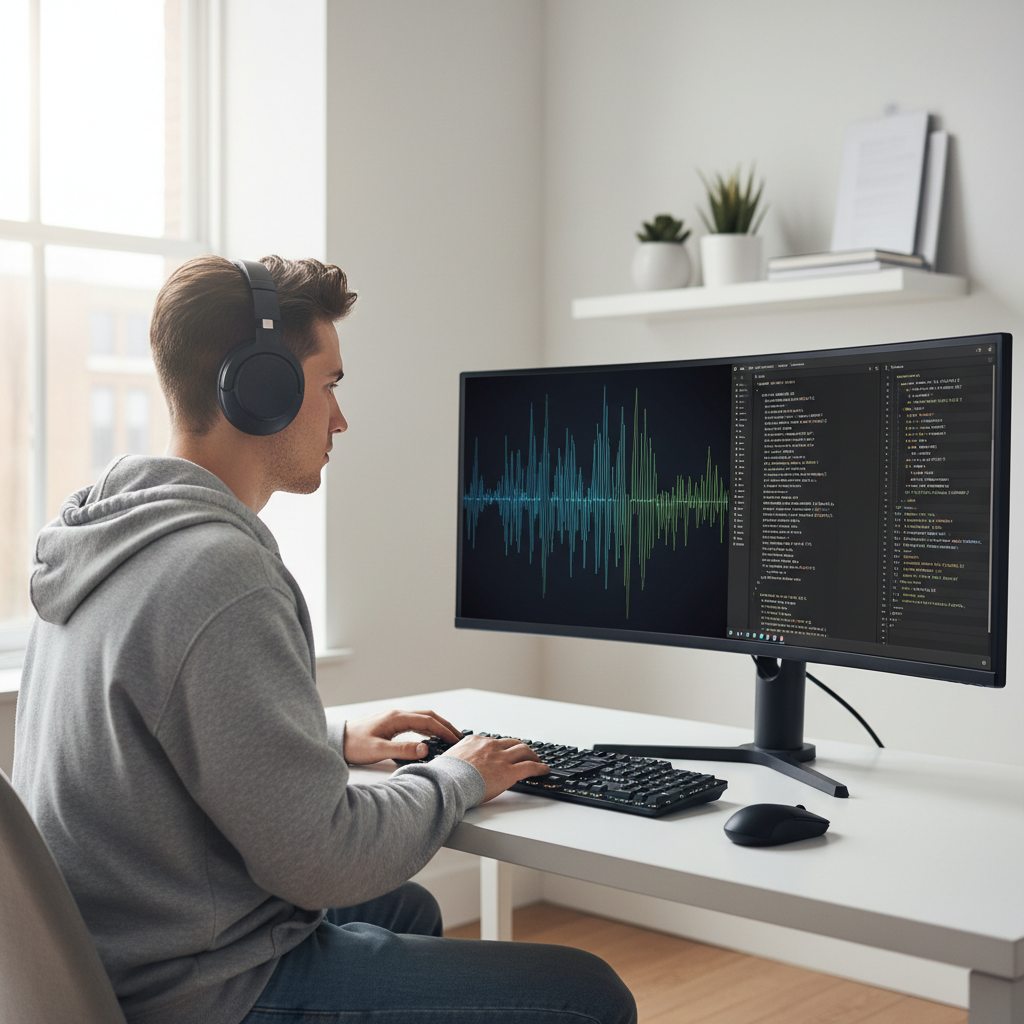
Best Audio Editing Tools for Developers 2026: Enhancing Podcasts & Tutorials
For developers, effective communication is paramount. Whether you're recording technical tutorials, hosting a developer podcast, contributing to an open-source project's audio documentation, or even just narrating a demo video, high-quality audio isn't just a nice-to-have – it's a necessity. Poor audio quality can alienate listeners, obscure your message, and diminish your professional credibility. In 2026, with the rapid advancements in AI and user-friendly interfaces, developers have more powerful and efficient options than ever to produce crystal-clear sound.
This guide delves into the best audio editing tools for developers 2026, offering a practical, example-driven overview of software that can truly elevate your audio content. We'll explore options ranging from robust open-source solutions to AI-powered platforms, ensuring you find the perfect fit for your workflow and budget.
Why Audio Quality Matters for Developers
Before we dive into the tools, let's briefly touch on why developers should prioritize good audio:
- Clarity of Instruction: In tutorials, clear audio ensures every command, explanation, and code snippet is easily understood.
- Professionalism: High-quality sound reflects a commitment to quality in all aspects of your work, enhancing your personal brand and credibility.
- Listener Engagement: Distracting background noise or inconsistent volume can quickly disengage an audience. Clean audio keeps listeners focused on your valuable content.
- Accessibility: Clear narration improves accessibility for non-visual learners and those with hearing impairments, especially when combined with transcripts.
- Search Engine Optimization (SEO): While direct audio quality isn't a ranking factor, engaging audio can increase listen time and shares, indirectly boosting discoverability for your podcasts and video content.
Key Features Developers Need in Audio Editing Software
When selecting an audio editor, developers often have specific requirements beyond what a typical music producer might look for. Consider these essential features:
- Noise Reduction & Restoration: Crucial for cleaning up audio recorded in less-than-ideal environments (e.g., home offices, co-working spaces).
- Clear UI/UX: Developers appreciate efficient interfaces that don't get in the way of productivity.
- Batch Processing: For repetitive tasks, the ability to apply effects or edits to multiple files at once saves significant time.
- Integration Capabilities: Compatibility with video editing software, transcription services, or even programmatic access (APIs) can be a huge plus.
- Cross-Platform Support: Many developers work across Windows, macOS, and Linux.
- Transcription/Text-Based Editing: A growing trend, allowing you to edit audio by simply editing its transcribed text.
- Portability: Cloud-based options or lightweight desktop apps are often preferred.
- Vocal Processing: Tools for leveling, compression, and EQ specific to spoken word.
Top Audio Editing Tools for Developers in 2026
Here's our breakdown of the leading contenders, categorized by their primary strengths and typical use cases for developers.
1. Descript: The Text-Based Revolution (AI-Powered & Collaborative)
Descript continues to be a game-changer, especially for those accustomed to text-based workflows. It treats audio and video like documents, allowing you to edit by simply cutting and pasting text.
- Why it's great for developers:
- Text-Based Editing: The most intuitive way to edit spoken word. Remove filler words ("um," "ah") and awkward pauses by deleting words from the transcript.
- "Overdub" Feature: Generate realistic AI voice clones to correct mistakes or add new content without re-recording. Invaluable for quick fixes in tutorials.
- Automatic Transcription: Fast and highly accurate transcription, which is perfect for creating show notes, captions, and blog posts from your audio.
- Screen Recording: Built-in screen recorder simplifies creating video tutorials alongside your audio.
- Collaborative Features: Easy sharing and collaborative editing, ideal for team podcasts or reviews.
- Use Case: Recording and editing technical podcasts, creating narrated screen-share tutorials, quickly cleaning up spoken presentations.
- Considerations: Subscription model, can be resource-intensive for very long projects.
- Example Scenario: You've recorded a 30-minute tutorial explaining a new API. Using Descript, you can quickly cut out a few stutters and add a sentence you forgot, all by editing the transcript, and then export both the polished audio and a text transcript for your blog post.
2. Audacity: The Open-Source Workhorse (Free & Powerful)
A long-standing favorite, Audacity remains a robust, free, and open-source audio editor that offers extensive functionality. Despite its sometimes dated interface, its power under the hood is undeniable.
- Why it's great for developers:
- Free and Open Source: No cost barrier, perfect for budget-conscious developers or those who prefer open-source ecosystems.
- Cross-Platform: Available on Windows, macOS, and Linux.
- Comprehensive Features: Excellent for noise reduction, equalization, compression, and various effects.
- Vast Plugin Ecosystem: Supports VST, AU, LADSPA, and Nyquist plugins, extending its capabilities for specialized tasks.
- Scripting Capabilities (Nyquist): Developers can use its built-in Nyquist programming language to automate complex audio processing tasks or create custom effects.
- Use Case: Cleaning up raw audio recordings, detailed sound design for intros/outros, complex noise removal, batch processing using scripts.
- Considerations: Steeper learning curve for beginners compared to text-based editors. Interface can feel less modern. Lacks built-in transcription.
- Example Scenario: You've recorded an interview for your podcast, but there's a constant hum from your refrigerator. You can use Audacity's noise reduction tool to effectively remove the hum, then apply normalization and compression to even out the speaker's volume, ensuring a professional sound.
3. Adobe Audition: The Industry Standard (Professional & Integrated)
Part of the Adobe Creative Cloud suite, Audition is a professional-grade digital audio workstation (DAW) tailored for audio editing, mixing, and restoration.
- Why it's great for developers:
- Powerful Noise Reduction & Restoration: Best-in-class tools for removing hiss, hum, and various background noises. The "Adaptive Noise Reduction" is particularly effective.
- Multitrack Editing: Essential for podcasts with multiple speakers, music, and sound effects.
- Seamless Integration with Premiere Pro: If you're also producing video tutorials, the smooth workflow between Audition and Premiere Pro is invaluable.
- Essential Sound Panel: Simplifies common tasks for spoken word, music, and sound effects, making professional results more accessible.
- Scripting Support: Extend functionality through ExtendScript (JavaScript-based) for automation.
- Use Case: Professional podcast production, complex audio restoration, sound design for high-quality video tutorials, integrating audio with existing Adobe video workflows.
- Considerations: Subscription-based, can be overwhelming for total beginners, higher cost.
- Example Scenario: You're producing a sophisticated video tutorial series. You record your narration separately, then use Audition to master the voiceover, add background music that ducks automatically when you speak, and integrate sound effects, all while keeping it perfectly synced with your Premiere Pro video project.
4. Logic Pro X (macOS Only): Apple's Creative Powerhouse (Integrated & Feature-Rich)
For macOS developers, Logic Pro X offers an incredibly powerful and feature-rich environment for audio production, bridging the gap between music production and professional spoken-word editing.
- Why it's great for developers (on macOS):
- Exceptional Audio Quality & Processing: Top-tier algorithms for effects, mixing, and mastering.
- Intuitive Interface (for Apple users): Familiar macOS aesthetic and workflow.
- Powerful Noise Gate & Denoiser: Excellent for cleaning up spoken word.
- Flex Time & Pitch: Fine-tune timing and pitch of recordings with ease.
- Extensive Plugin Library: Comes with a wealth of professional-grade plugins for free.
- Tight Integration with macOS Ecosystem: Works seamlessly with other Apple apps and hardware.
- Use Case: High-quality podcast production, creating original music for intros/outros, advanced sound design, developers already entrenched in the Apple ecosystem.
- Considerations: macOS only, paid software, can be overkill for very simple editing tasks.
- Example Scenario: You're a macOS developer creating a podcast where you also compose your own intro/outro music. Logic Pro X allows you to record, mix, and master both your spoken word and musical elements within a single, powerful application.
5. Reaper: The Lean, Mean Editing Machine (Highly Customizable & Affordable)
Reaper (Rapid Environment for Audio Production, Engineering, and Recording) is a low-cost, highly customizable DAW that's revered by many for its efficiency and power.
- Why it's great for developers:
- Incredibly Customizable: Nearly every aspect of Reaper can be customized, scripted, and extended, appealing to developers who love to tweak their tools.
- Lightweight & Efficient: Runs well on older hardware and consumes fewer resources than many other DAWs.
- Affordable Licensing: One of the most cost-effective professional DAWs available.
- Powerful Scripting (Lua, Python, EEL): Developers can write custom scripts to automate complex workflows, batch process audio, or create unique tools.
- Extensive Feature Set: Full multitrack editing, VST/AU support, excellent routing capabilities.
- Use Case: Developers who want deep control and customization, scripting audio tasks, budget-conscious professionals, users requiring a lightweight yet powerful DAW.
- Considerations: Steeper learning curve due to its depth and customizability, interface can feel utilitarian.
- Example Scenario: You need to process hundreds of short audio snippets for a voice interface project. Instead of manually editing each, you can write a Python script in Reaper to automatically apply noise reduction, normalize volume, and export them in a specific format, saving countless hours.
6. Online & AI-Assisted Tools: The Future is Here (Quick & Smart)
Beyond dedicated desktop software, a new wave of online and AI-assisted tools are making audio editing faster and more accessible.
- Auphonic:
- Why it's great: Automated audio post-production. Upload your raw audio, and Auphonic will intelligently apply noise reduction, leveling, loudness normalization, and even some light EQ based on common broadcast standards.
- Use Case: Quick, professional-sounding results for podcasts and tutorials with minimal manual intervention. Perfect for developers who prioritize content creation over audio engineering.
- Podcastle.ai / Riverside.fm:
- Why they're great: Focus on high-quality remote recording. Capture pristine audio (and video) tracks locally from each participant, then offers AI-powered editing features like magic removal of silences, noise cancellation, and even text-based editing in some cases.
- Use Case: Recording remote interviews for podcasts, conducting online group tutorials, ensuring high-fidelity source material.
- Krisp.ai:
- Why it's great: Real-time AI noise cancellation for calls and recordings. Integrates with virtually any communication app.
- Use Case: Ensuring clean audio during live coding sessions, remote meetings, or when recording impromptu explanations without dedicated editing.
Comparative Overview: Choosing Your Tool
| Tool Name | Cost | Platforms | Key Strengths | Best For |
|---|---|---|---|---|
| Descript | Subscription | Win, Mac | Text-based editing, AI Overdub, Transcription, Video | Content creators focused on spoken word, quick edits, transcription needs. |
| Audacity | Free | Win, Mac, Linux | Open-source, comprehensive basic tools, scripting | Budget-conscious, complex noise reduction, scripting audio tasks, Linux users. |
| Adobe Audition | Subscription | Win, Mac | Professional restoration, Multitrack, Adobe Suite integration | High-quality podcast production, advanced noise removal, video workflow integration. |
| Logic Pro X | One-time ($) | Mac only | Pro-grade audio, music production, integrated workflow | Mac users, music producers, comprehensive audio design, high-fidelity sound. |
| Reaper | One-time (low $) | Win, Mac, Linux | Highly customizable, lightweight, scripting, affordable | Developers who love control & customization, scripting, budget-conscious pros, efficiency seekers. |
| Auphonic | Freemium | Web | Automated post-production, loudness normalization | Quick, professional sound for podcasts without manual editing, hands-off approach. |
| Podcastle/Riverside | Subscription | Web | Remote recording, AI editing, text-based | Remote interviews, high-quality source capture, collaborative online production. |
| Krisp.ai | Freemium | Win, Mac | Real-time AI noise cancellation | Live calls, online meetings, ensuring clean audio input during live interactions. |
Workflow Tips for Developers
Beyond the tools, adopting smart workflows can make a significant difference:
- Record Clean Audio: No amount of editing can truly fix bad source audio. Record in a quiet environment, use a good microphone, and ensure proper mic technique. Even a simple dynamic microphone can make a huge difference.
- Separate Tracks: If recording multiple speakers or elements (voice, music, sound effects), record them on separate tracks. This offers maximum flexibility during editing.
- Noise Reduction First: Always apply noise reduction at the beginning of your editing process, but sparingly. Too much can make audio sound unnatural.
- Edit for Content First: Focus on removing unwanted words, pauses, and rephrased sentences. Tools like Descript excel here.
- Process for Clarity & Loudness: Use equalization (EQ) to enhance clarity, compression to even out dynamics, and normalization/loudness maximization to hit target broadcast levels (e.g., -19 LUFS for podcasts).
- Backup Your Work: Always save project files and raw audio in a structured manner. Git or other version control systems can even be adapted for managing audio projects.
- Transcribe: Always generate a transcript. It aids editing, provides content for show notes, and improves SEO and accessibility.
The Future of Developer Audio Editing
Looking ahead to 2026 and beyond, we can expect even more integration of AI. Think about:
- Smarter Noise Cancellation: AI will become even better at distinguishing speech from unwanted sounds, adapting dynamically.
- Automatic Content Summarization: AI could summarize long tutorial segments or podcast discussions, generating bullet points for your notes.
- AI-Driven Mixing & Mastering: Tools that intelligently adjust EQ, compression, and reverb based on content type, user voice, and target platform.
- Direct API Access: More platforms offering APIs for programmatic control, allowing developers to build custom workflows and integrations.
The landscape of audio editing for developers is exciting and rapidly evolving. By leveraging these powerful tools and adopting efficient workflows, you can ensure your technical insights are not only heard but truly understood and appreciated.
FAQ
Q1: Is it really necessary for developers to focus on audio quality?
A1: Yes, absolutely. High-quality audio is crucial for professionalism, clarity of instruction in tutorials, listener engagement in podcasts, and overall credibility. Poor audio can be distracting and undermine your message, regardless of how valuable your technical content is.
Q2: What's the biggest advantage of text-based audio editing tools like Descript for developers?
A2: The biggest advantage is efficiency. Developers are accustomed to text-based workflows. Editing audio by simply deleting words from a transcript or moving paragraphs around is incredibly intuitive and significantly faster than traditional waveform editing, especially for spoken word content like tutorials and podcasts.
Q3: I'm on a tight budget. What's the best free audio editing tool for developers?
A3: For a free option, Audacity is hands down the most powerful and versatile tool. It offers comprehensive features for noise reduction, equalization, and editing, and it's cross-platform (Windows, macOS, Linux). While its interface might not be the most modern, its capabilities are robust.
Q4: How important is AI in audio editing for developers in 2026?
A4: AI is becoming increasingly important. Tools utilizing AI, like Descript's Overdub or Auphonic's automated post-production, can drastically reduce editing time by handling tasks like noise cancellation, loudness normalization, and even voice cloning. This allows developers to focus more on content creation and less on intricate audio engineering.
Q5: What kind of microphone should a developer use for tutorials and podcasts?
A5: While high-end microphones exist, a good quality USB microphone (e.g., Rode NT-USB+, Blue Yeti, Shure MV7) or an XLR microphone with an audio interface (e.g., Shure SM7B with Focusrite Scarlett) will make a huge difference. The key is to choose one that sounds good with your voice and record in a quiet environment.
Q6: Can I use my existing video editing software for audio?
A6: While most video editing software (like DaVinci Resolve, Premiere Pro, Final Cut Pro) have basic audio editing capabilities, they are usually not as comprehensive or efficient for detailed audio restoration, noise reduction, or multi-track podcast production as dedicated audio editors like Adobe Audition, Logic Pro X, or Audacity. For professional-grade audio, a specialized tool is often preferred.